Skip to content

Advanced Search and Analysis
of Dangerous Goods Data

Find it quickly, change it quickly

Every kind of data -goods, waste, consignments, receipts, contacts- is shown in a table that can be searched in two ways, so consulting and correcting is a matter of seconds and not of browsing.

Simple search

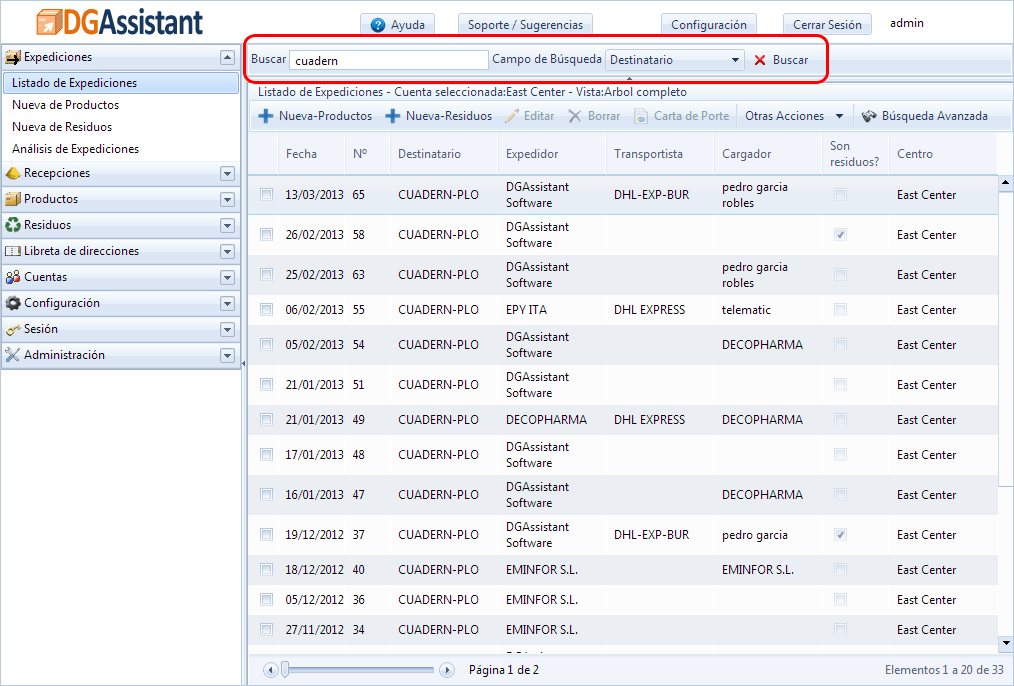
Simple search in DGAssistant

The default mode, and the one used all day: choose a field, such as the consignment number or the consignee, type what you are looking for and the table filters itself.

Advanced search
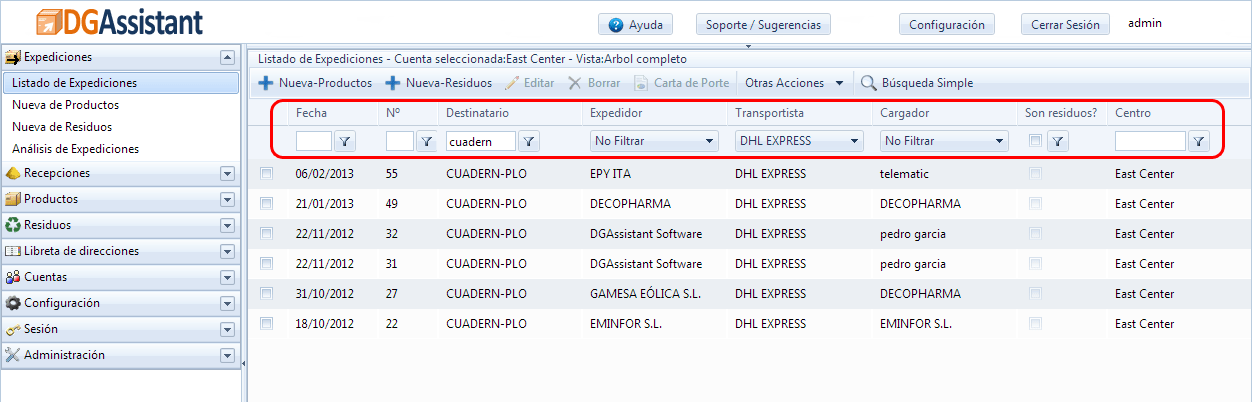
Advanced search combining several fields

The advanced search combines several fields at once, which is what lets you ask for something like the consignments sent to a particular consignee by a particular carrier between two dates.

Analysis

The analysis works like the advanced search but adds up and breaks down: the quantities shipped in a class and packing group to a given consignee, by period, by carrier or by work centre.

It is the quickest way to prepare the annual report, to answer an audit and to see where the dangerous goods of the company really go.

To see how quick and easy it is, you can have a two week trial without any obligation