Start with the catalog you already have
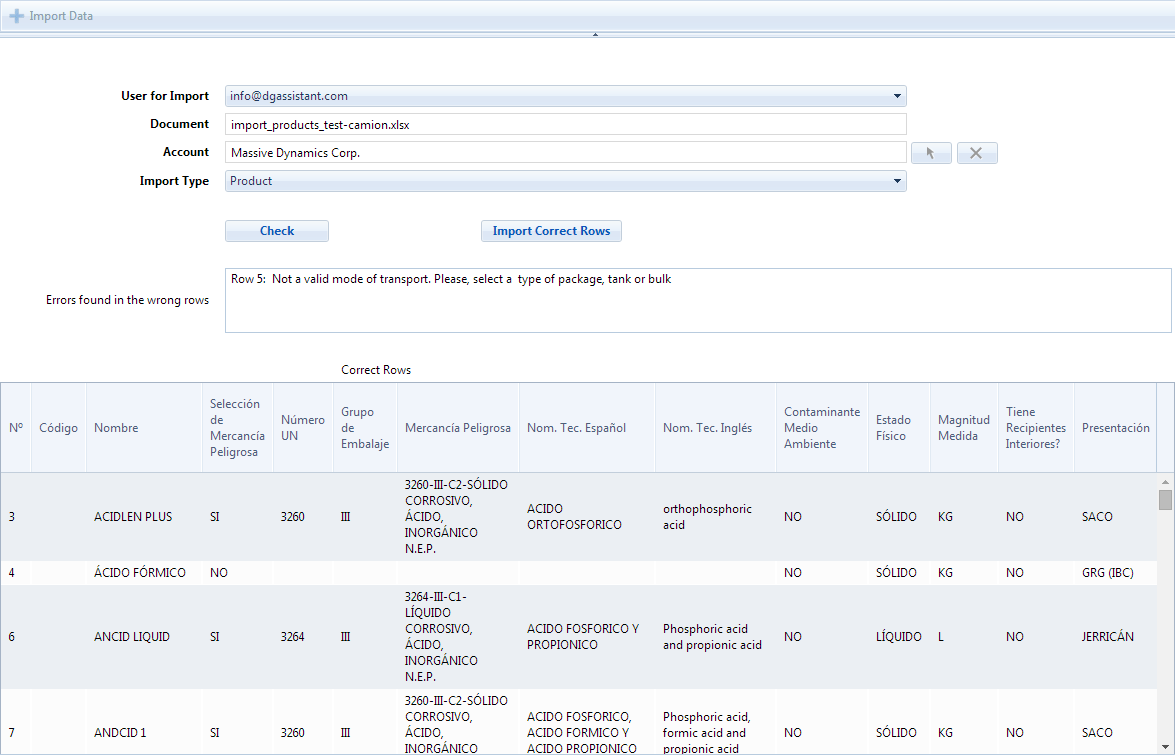
Import your data from your management system or from the program you used before, so that the first working day with DGAssistant does not begin with an empty database.
You enter your data in the spreadsheet that we provide and the application loads products and hazardous waste alike. Shippers, loaders, carriers, consignees and suppliers are loaded the same way.
The import reports what it could not read, line by line, so a bad row is corrected instead of silently lost.
Export what you have filtered
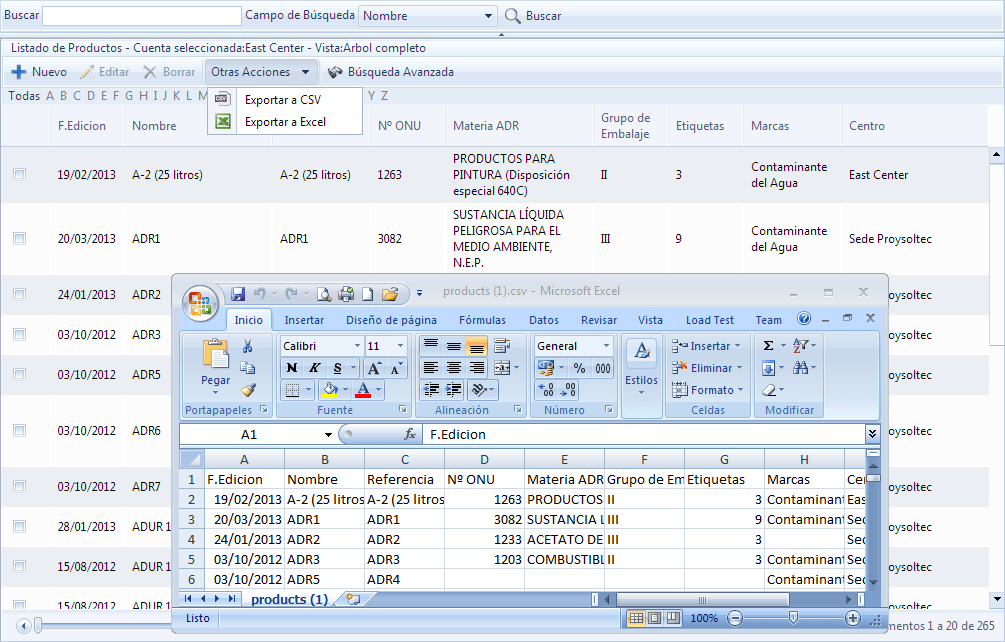
Any list can be filtered with the search tools and then exported to Excel or CSV, with the separator your spreadsheet expects.
The data leaves in a format you can work with in Excel, LibreOffice or any compatible program, which is what makes it useful for the jobs that always end up outside the application.